Deploying the Stack: How to Host Your AI Prototype
A practical guide to taking AI-built prototypes beyond localhost: hosting, backends, databases, auth, and real-user readiness.


There is a familiar moment in almost every prototype review.
Someone asks, “Can you share the link?”
The builder drops this into the chat:
http://localhost:3000
And then everyone hits the old deployment wall: works on my machine is not the same as works when someone else opens it.
That little localhost joke is where many AI-built prototypes get stuck.
The UI exists. The flow clicks. The demo looks real. The agent has produced enough code to make the thing feel alive.
Then someone asks for a stable link. Or login. Or a database. Or a place to upload files. Or a way for five customers to try it without the whole thing falling apart.
That is when a prototype stops being a demo and starts becoming an operations question.
A useful way to think about this is in two stages.
First, get to a link.
Then, if the idea has legs, decide what kind of system it needs.
For quick prototypes, our working stack is usually simple. We use Lovable when we need the fastest path to something shareable. It gets the idea out of localhost and into a link that a stakeholder, teammate, or design partner can actually open.
We wrote about this broader approach in our AI Prototyping Mastery for Product Managers: The LoCuS Stack Playbook, and demonstrated it hands-on in our AI Prototyping Workshop for Product Managers.
Lovable is useful here because the publish step is built in. You can move quickly, show the flow, and learn whether the product idea is even worth more effort.
Supabase usually sits underneath as the backend layer: database, auth, storage, and product state. That is the part that makes a prototype feel less like a clickable mockup and more like a working product.
Once the shape is clear, we prefer moving the serious build work into Claude Code or Codex. That is where you can clean up the architecture, refactor messy code, add edge cases, wire integrations properly, and make decisions that should not be left to the fastest first version.
So the quick answer is:
- Lovable for speed and a shareable link.
- Supabase for backend, auth, storage, and data.
- Claude Code or Codex for the more serious build-out once the prototype has direction.
But this is still a prototype path. It is not the same thing as saying “this is the final production architecture.”
That distinction matters.
WhiteboardX, our flagship product, started with this kind of fast-learning mindset too: get the core experience in front of people, see what actually matters, and avoid over-engineering before the product shape is clear.
But as WhiteboardX became a serious product, the question changed. It was no longer only, “can we make this flow work?” It became, “what stack can support real users, real data, permissions, reliability, observability, and customer expectations?”
That is the line people often miss. A prototype stack helps you learn. A production stack helps you keep the promise after people start depending on the product.
This is also the point we made in our Beyond Prototyping: Why Systems Thinking Is the New Superpower for PMs and Builders: AI makes the first build faster, but it makes systems judgment more important, not less.
Hosting is one of the first places where that judgment shows up.
This week in AI News
A few fresh AI shifts from the last seven days are worth keeping in view before we get into the hosting choices:
-
GPT-Live makes voice a real product surface — OpenAI’s new voice model points to AI interfaces that feel less like prompt boxes and more like live conversations.
-
Meta Muse moves image generation into social workflows — Meta is pushing generation closer to the places where people already create and share.
-
GPT-5.6 shows model access is product strategy — the launch pattern matters as much as the model name: who gets access, where it appears, and what workflows become cheaper.
Hosting is not one decision
People use the word “hosting” as if it means one thing.
It rarely does.
A prototype may need:
- Frontend hosting — where the interface lives.
- Backend or API hosting — where server-side logic runs.
- A database — where product state is stored.
- Authentication — who can access what.
- File storage — images, PDFs, uploads, generated files.
- Secrets and environment variables — API keys, database URLs, payment credentials.
- Domain and CDN — how people reach the app reliably.
- Logs and rollback — how the team sees and fixes failures.
The frontend is the visible part.
The backend, database, auth, secrets, and recovery path are what decide whether the prototype survives contact with users.
A public URL helps. It is not the same as being ready for users.
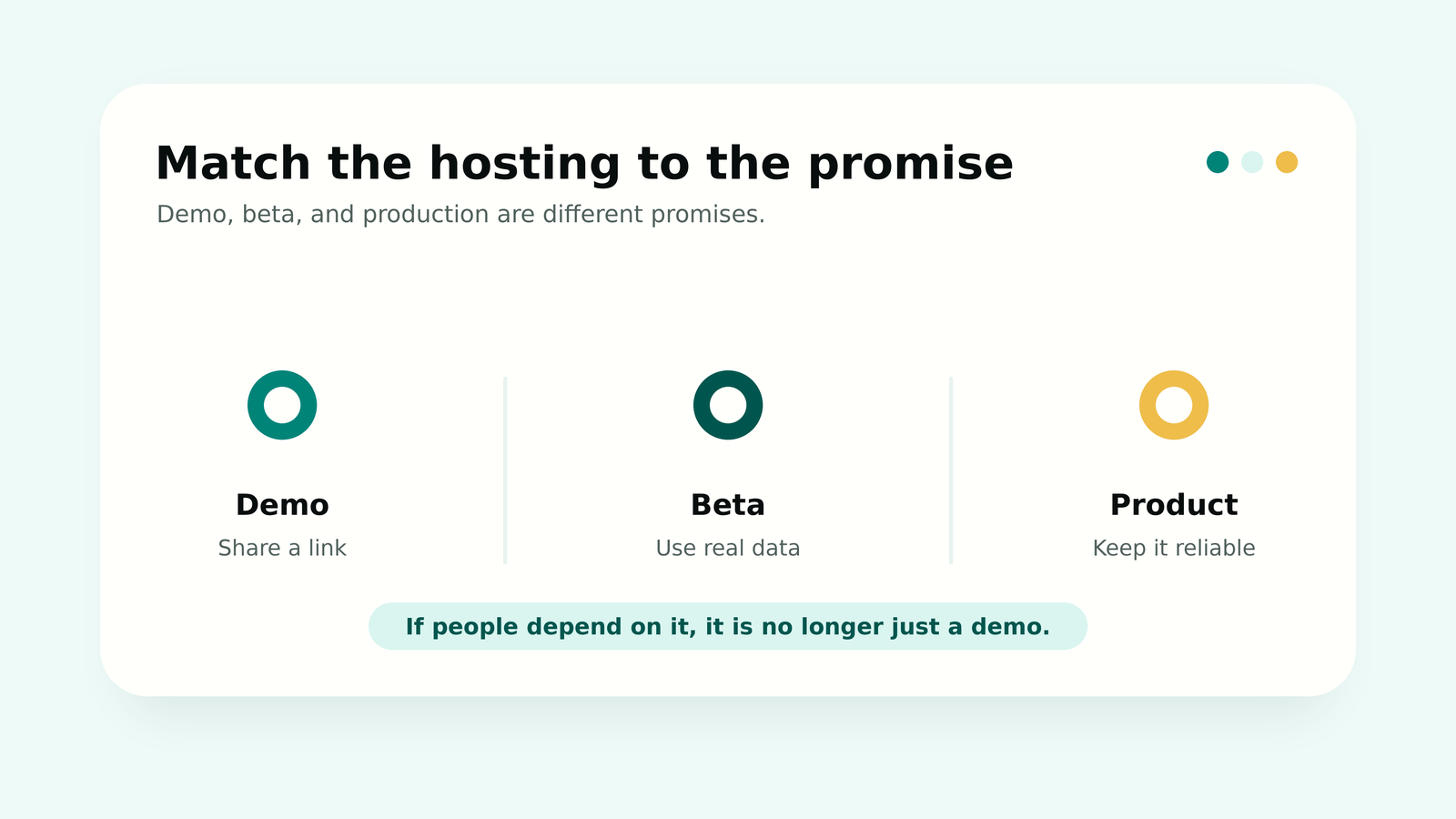
First ask: demo, beta, or product?
Before choosing a platform, decide what job the deployment is doing.
A demo needs a link.
A beta needs users, data, permissions, support, and a way to recover from mistakes.
A product needs ownership, monitoring, billing, reliability, and a deploy path someone else can understand.
Those are not the same problem.
So the hosting choice should start with risk, not with whatever tool is loudest on X this week.
If the stakes are low, free and fast is fine.
If real users, customer data, payments, or operational workflows are involved, the cheap option can become expensive very quickly.
If it is static, GitHub Pages is still underrated
GitHub Pages is a good first answer when the prototype is basically a static website.
Think landing page, docs, waitlist page, internal explainer, lightweight dashboard mockup, or a frontend demo that does not need private server-side logic.
GitHub’s own docs describe Pages as a way to publish sites from GitHub repositories. As of July 2026, the published site limit is up to 1 GB, with a soft bandwidth limit of 100 GB per month and a soft limit of 10 builds per hour unless you use a custom GitHub Actions workflow.
GitHub also says Pages sites are public and are not meant to be free hosting for running an online business, ecommerce site, or SaaS product. (GitHub Pages docs, GitHub Pages limits)
That makes GitHub Pages useful for:
- concept pages
- docs
- public demos
- simple waitlists
- static prototypes
It is the wrong place for:
- private API keys
- server-side code
- database writes
- user-specific data
- payment flows
- sensitive workflows
The simplest way to think about it:
GitHub Pages is a website host. It is not a backend.
A coding agent can generate a clean static demo and put it on GitHub Pages quickly. That is useful.
But if the app needs login, saved data, uploads, or private API calls, GitHub Pages should become one layer of the system, not the whole system.
Vercel, Netlify, and Cloudflare Pages are better for modern frontends
For React, Next.js, Vue, Svelte, and Jamstack prototypes, Vercel, Netlify, and Cloudflare Pages are usually more natural than GitHub Pages.
Vercel is especially strong for Next.js and frontend-heavy apps. You get Git-based deploys, preview URLs, environment variables, custom domains, analytics, and a path into serverless/full-stack patterns. The catch: Vercel’s free Hobby plan is for personal, non-commercial use. Commercial usage needs a paid plan. (Vercel Hobby plan, Vercel Git deployments, Vercel limits)
Netlify is good for static and Jamstack workflows, deploy previews, forms, and functions. Its free plan can be enough for early work, but the pricing model is usage-based. So the practical question is not “is Netlify free?” It is “what happens when builds, bandwidth, function usage, or team needs grow?” (Netlify pricing, Netlify deploy docs)
Cloudflare Pages is strong when the app is mostly static and global delivery matters. As of July 2026, the free Pages limits show 500 builds per month, one concurrent build, and a 20-minute build timeout. Pages Functions can add backend-like behavior, but those functions count against Workers quotas. (Cloudflare Pages limits, Pages Functions pricing)
A practical shorthand:
- GitHub Pages for simple static pages and docs.
- Vercel for Next.js and frontend-heavy apps.
- Netlify for Jamstack workflows and deploy previews.
- Cloudflare Pages for static/global edge-heavy frontends.
But if users can log in, save data, upload files, trigger workflows, or call paid APIs, frontend hosting is only the surface.
The product still needs a backend and database plan.
Lovable and Replit are great for speed. Still inspect the architecture.
AI-builder platforms make publishing feel easy. That is genuinely useful.
Lovable’s docs describe publishing as turning a project into a live web app by deploying a snapshot to a URL. Its newer deployment and ownership docs go further: Lovable Cloud includes production hosting, custom domains, managed backend, databases, authentication, data isolation, and migration paths including Supabase options. Lovable also says apps are standard Vite + React projects and emphasizes code ownership, data portability, and GitHub sync. (Lovable publishing, Lovable deployment, hosting, and ownership)
That is a strong path for a quick app.
But once the prototype matters, the questions change:
- Who owns the code?
- Where is the database?
- Can the data move?
- Are auth and permissions configured properly?
- Which plan supports the access control or custom domain we need?
Replit has a similar advantage. Its publishing docs say the Publish button can take an app live in four clicks, through stages like Provision, Security Scan, Build, Bundle, and Promote. It also says publishing is available on every plan, the free Starter plan includes one published app, and paid plans remove that limit and add more options. (Replit publish docs, Replit deployment pricing)
For a concept demo, Lovable or Replit publishing may be enough.
For a real beta, check ownership, custom domains, auth, database, backups, access control, logs, billing ownership, and portability before inviting users.
Speed is useful.
Lock-in starts to matter when the prototype has real data inside it.
Backend is usually where the prototype becomes a product
Most AI-built products do not fail because the frontend cannot be hosted.
They fail around the boring parts:
- exposed API keys
- missing authentication
- weak permissions
- bad database schema
- slow queries
- no backups
- file uploads in the wrong place
- webhook failures
- background jobs that never retry
- third-party APIs that rate-limit
- no logs when users hit errors
A frontend-only prototype asks: “Can someone see the interface?”
A product with users asks sharper questions:
- Can the user log in?
- Can they only see their own data?
- Are private keys kept out of the browser?
- Can we diagnose failures?
- Can we recover if the deployment breaks?
That is where Supabase, Firebase, Neon, MongoDB Atlas, Render, Railway, and Fly.io enter the conversation.
Supabase is often the best next step for web prototypes with users and data
Supabase is more than a database.
It gives you managed Postgres, authentication, storage, realtime, auto-generated APIs, and Edge Functions.
As of July 2026, its free plan lists unlimited API requests, 50,000 monthly active users, 500 MB database size, 5 GB egress, 5 GB cached egress, and 1 GB file storage. Free projects can pause after inactivity, and there is a limit of two active projects.
That is generous enough for many prototypes, but it is still a free tier. Treat it as a starting point, not a capacity plan. (Supabase pricing, Supabase database docs, Supabase Auth, Supabase Storage, Supabase Edge Functions)
That bundle is powerful because it removes a lot of backend plumbing early.
A common setup looks like this:
- frontend on Vercel, Netlify, Cloudflare Pages, or Lovable
- auth, database, storage, and permissions in Supabase
- server-side functions only where secrets or privileged operations are needed
The important caveat: Supabase’s free auth number is not the same as product capacity.
A simple CRUD app with indexed queries may support a meaningful beta on free or starter infrastructure.
A realtime-heavy app, analytics dashboard, AI workflow tool, or file-heavy product can hit database, egress, storage, function, or query-performance limits much earlier.
The better question is not “does Supabase support 50,000 users?”
It is: what does each user do to the database, storage, realtime layer, and API surface?
Supabase also forces one security concept that every AI builder should learn early: Row Level Security.
Supabase’s RLS docs are clear. Once RLS is enabled, no data is accessible through the API with a publishable key until policies are created. That is the guardrail you want when a browser-facing app talks directly to the database. (Supabase Row Level Security)
A useful mental model:
# safe to expose in browser when RLS is configured properly
NEXT_PUBLIC_SUPABASE_URL=...
NEXT_PUBLIC_SUPABASE_ANON_KEY=...

# server-side only; never put this in frontend code
SUPABASE_SERVICE_ROLE_KEY=...
Basic client setup:
import { createClient } from '@supabase/supabase-js'

export const supabase = createClient(
  process.env.NEXT_PUBLIC_SUPABASE_URL!,
  process.env.NEXT_PUBLIC_SUPABASE_ANON_KEY!
)
This distinction matters.
Public keys are not automatically unsafe if permissions are designed properly. Admin or service-role keys are unsafe in frontend code because they bypass the user-level trust boundary.
Supabase’s product direction also shows why observability becomes a production concern. In 2026, Supabase announced Log Drains on Pro for sending Postgres, Auth, Storage, Edge Functions, and Realtime logs to tools like Datadog, Sentry, Grafana Loki, Axiom, S3, or your own endpoint.
Tweet
That is the production lesson: once real users depend on the app, “does it work?” is not enough. You also need to see why it fails.
Supabase is strong, but it is not the only answer
Different products need different levels of backend control.
| Option | Use when | Watch-out |
|---|---|---|
| Firebase | Mobile-first apps, realtime/offline sync, Google ecosystem, push/analytics | NoSQL modeling and read/write pricing can surprise teams |
| Neon | Serverless Postgres, database branching, Vercel/serverless workflows | It is a database, not a full backend; you still need auth/storage/backend logic |
| Turso | Edge SQLite/libSQL, lightweight read-heavy apps, many small databases | Not a full backend platform by itself |
| MongoDB Atlas | Flexible document data, search/vector, MongoDB-native teams | Free/shared tiers are for prototypes; relational constraints are weaker than Postgres |
| Render | Simple API servers, workers, backend services | Free services spin down; Render says free instances should not be used for production |
| Railway | Fast full-stack prototypes with apps and databases | Free/trial is credit-based; monitor usage and cost |
| Fly.io | Dockerized apps, global regions, long-running processes, advanced control | More operationally demanding; free trial is limited |
Firebase makes sense when the app is mobile-first or deeply realtime.
Neon is excellent when you want Postgres without a full backend-as-a-service.
MongoDB Atlas is useful when the data is naturally document-shaped or search/vector capabilities matter.
Render and Railway fit when the app needs a real backend process.
Fly.io is powerful when Docker, regions, or lower-level control matter.
There is no trophy for picking the trendiest backend. Pick the one that fits the product’s state, permissions, control needs, and failure modes.
When do we need a real backend server?
A managed backend like Supabase can take many prototypes quite far.
But some work should not live entirely in the frontend or database layer.
Use a backend host like Render, Railway, Fly.io, or a managed cloud runtime when the product needs:
- private API calls
- payments
- webhooks with retries
- background jobs
- queues
- scheduled tasks
- long-running AI workflows
- file processing
- browser automation
- custom binaries
- private networking
Render is a good simple backend host, but its free-tier docs explicitly say free instances should not be used for production. Free web services spin down after 15 minutes without inbound traffic and take about a minute to spin back up. (Render free docs)
Railway is fast for multi-service prototypes, but its free trial should be treated as a trial, not a production plan. The docs say new users get up to 30 days and a one-time $5 grant; after that, the account reverts to a Free plan with $1 of credit per month. (Railway free trial)
Fly.io is powerful but more engineering-oriented. Its free trial, checked in July 2026, includes 2 total VM hours or 7 days of access, whichever comes first; trial machines auto-stop after running for 5 minutes, and apps stop when the trial is exhausted unless billing is added. (Fly.io free trial)
None of this makes free tiers bad.
Free is fine for demos.
Once real users are involved, fewer surprises matter more than free credits.
When AWS, Azure, or GCP starts making sense
The tools above are excellent for getting from prototype to usable product quickly.
That is the right path for many builders. A hosted frontend, managed auth, a database, storage, and a simple backend can take a product surprisingly far.
But some products need a more serious infrastructure foundation earlier. Not because Vercel, Supabase, Render, Railway, or Fly.io “stop being enough” in a universal sense. They may continue to be the right choice for a long time.
AWS, Azure, and GCP are a different class of decision. They make sense when the builder wants more direct control over the infrastructure layer: networking, regions, compute, storage, databases, security policies, logs, backups, queues, permissions, scaling, and deployment workflows.
A useful rule:
Use lightweight platforms to learn fast and reach users. Move toward AWS, Azure, or GCP when the product needs deeper infrastructure control, stronger operational maturity, or enterprise-ready deployment options.
That starts to matter when the product needs:
- stricter security and permission boundaries
- sensitive user or business data controls
- stronger backup, recovery, and observability practices
- background jobs, queues, event pipelines, or scheduled workflows
- custom networking, private access, regional control, or VPC-style isolation
- enterprise SSO, audit logs, compliance posture, or procurement readiness
- a clearer path for scale, handoff, and long-term operational ownership
You do not have to start with Kubernetes or a complex cloud architecture. The more practical starting points are managed services: Cloud Run on GCP, App Runner or Lambda on AWS, Container Apps or App Service on Azure, plus managed databases, storage, queues, and logs around them.
The trade-off is responsibility.
More infrastructure control is useful only if the product actually needs it. A badly configured cloud setup can be worse than a simple managed platform. So the move to AWS, Azure, or GCP should be tied to product maturity: real users, real data, real reliability expectations, and a need for more control over how the system runs.
The PM decision is not “which host is cheapest?”
For a PM or founder, deployment is a product-risk decision.
Ask five questions before picking the tool:
- Who is the first real user? Internal teammate, design partner, paid customer, or public visitor?
- What is the cost of failure? A broken demo is annoying. Lost customer data is a trust problem.
- Who owns the system? The builder’s personal account, a shared product workspace, or a cloud account that can be handed over cleanly?
- What must stay private? API keys, service-role keys, customer data, payment credentials, and admin workflows need clear boundaries.
- What happens if the prototype works? The best-case scenario should not create a migration emergency.
Choose the lightest setup that matches the current risk.
But do not choose a setup that breaks the moment the experiment succeeds.
A practical decision guide
| Need | Good starting point | When it stops being enough |
|---|---|---|
| Static landing page or docs | GitHub Pages, Cloudflare Pages, Netlify | When you need auth, database, private keys, or backend logic |
| Modern frontend app | Vercel, Netlify, Cloudflare Pages | When commercial use, functions, limits, or team workflow matter |
| AI-builder demo | Lovable, Replit | When you need ownership, custom domain, predictable reliability, or production backend |
| Users + database + auth | Supabase, Firebase | When permissions, backups, egress, query performance, or observability matter |
| Pure Postgres | Neon | When you also need auth, file storage, backend jobs, or permissions layer |
| Custom API/backend | Render, Railway, Fly.io | When uptime, workers, queues, webhooks, rollback, and cost predictability matter |
For many web prototypes, this is a good default:
Frontend on Vercel, Netlify, Cloudflare Pages, or Lovable. Backend on Supabase.
It is not a rule.
It works best when the app is web-first, user-data-heavy, and needs auth, database, and storage without a lot of custom backend code.
How many users before it breaks?
This is the question everyone wants answered.
It is also where most advice becomes uselessly generic.
A provider’s marketing limit is not your product’s capacity. Capacity depends on what each user does.
The same “100 users” can mean very different things:
- 100 people viewing a static landing page
- 100 people signing in once a week
- 100 people uploading files
- 100 people running AI workflows
- 100 people using realtime chat all day
- 100 people loading dashboards with unindexed queries
The infrastructure impact is completely different.
A safer frame:
| Stage | Practical expectation |
|---|---|
| Demo/internal | Free tiers are usually enough. Expect limitations, sleeping services, expiry, or downtime risk. |
| Small beta | Dozens to hundreds of active users can often work if the app is light, indexed, and not realtime-heavy. |
| Early production | Hundreds to thousands of registered users may be feasible on starter paid tiers, but monitor DB CPU, query latency, errors, storage, and egress. |
| Growth | Stop guessing. Add load testing, monitoring, alerts, backups, staging/prod separation, and capacity planning. |
Capacity usually comes down to boring details:
- reads per session
- writes per session
- query complexity
- index quality
- file uploads/downloads
- realtime subscriptions
- serverless cold starts
- connection pooling
- API rate limits
- third-party latency
- background job volume
- caching and CDN behavior
Vercel captured this reality well in a 2026 post about self-hosting Next.js: self-hosting can be straightforward until traffic arrives; caching behavior under load changes when hundreds of concurrent users access the app.
Tweet
The hard part is not putting software on the internet.
The hard part is knowing what happens when users arrive at the same time.
The real-user readiness checklist
Before a prototype leaves the friendly-demo stage, check this:
- [ ] There is a stable URL.
- [ ] The custom domain is configured if users are expected to return.
- [ ] API keys are not hardcoded in frontend code.
- [ ] Service-role/admin database keys are server-side only.
- [ ] Auth redirect URLs work on the production domain.
- [ ] RLS or equivalent permissions are enabled and tested.
- [ ] Test data is separate from real user data.
- [ ] Important data has backups.
- [ ] Logs are accessible.
- [ ] Basic monitoring or alerts exist.
- [ ] Error states are user-friendly.
- [ ] There is a rollback or redeploy path.
- [ ] Billing and ownership sit with the right account/team.
- [ ] The repo, deployment project, database project, and domain are not trapped in one person’s personal account.
- [ ] There is a README or handoff doc explaining how to deploy it again.
This is where a prototype starts becoming a product artifact.
Not because everything is enterprise-grade.
Because the team knows which shortcuts are acceptable, and which ones are dangerous.
Feed this to your coding agent
If you are using Claude Code, Codex, Lovable, Replit, or any coding agent, avoid the lazy prompt: “deploy the app.”
Give it a deployment brief.
Use this article as a deployment brief. Inspect my prototype before editing code.

Tell me:
1. Is this static, frontend-heavy, or backend-heavy?
2. Which secrets or keys are currently exposed to the browser?
3. Where should database, auth, file storage, and server-side logic live?
4. Which deploy target is safe for demo use, and why?
5. What must move to paid or production infrastructure before real users?
6. What RLS/permissions/auth redirects need to be configured?
7. What logs, backups, monitoring, rollback, and ownership gaps are missing?
8. Which official docs should I follow for each deployment layer?

Do not deploy yet. First return a deployment plan with risks, assumptions, and exact commands.
The goal is not to let the agent choose blindly.
The goal is to make the agent think about the system before it starts pushing files around.
The Takeaway
Start free when the stakes are low.
Use GitHub Pages, Cloudflare Pages, Netlify, Vercel, Lovable, or Replit when the product is still a demo and the consequence of failure is small.
Move toward Supabase, Firebase, Neon, MongoDB Atlas, Render, Railway, or Fly.io when the product starts accumulating users, data, secrets, payments, workflows, or operational risk. Move toward AWS, Azure, or GCP when the product needs deeper control over infrastructure, security, observability, scale, or enterprise readiness.
A URL is only the beginning.
The prototype becomes usable when state has a home, secrets have a boundary, users have rules, failures can be seen, and someone knows how to roll the system back when reality disagrees with the demo.